

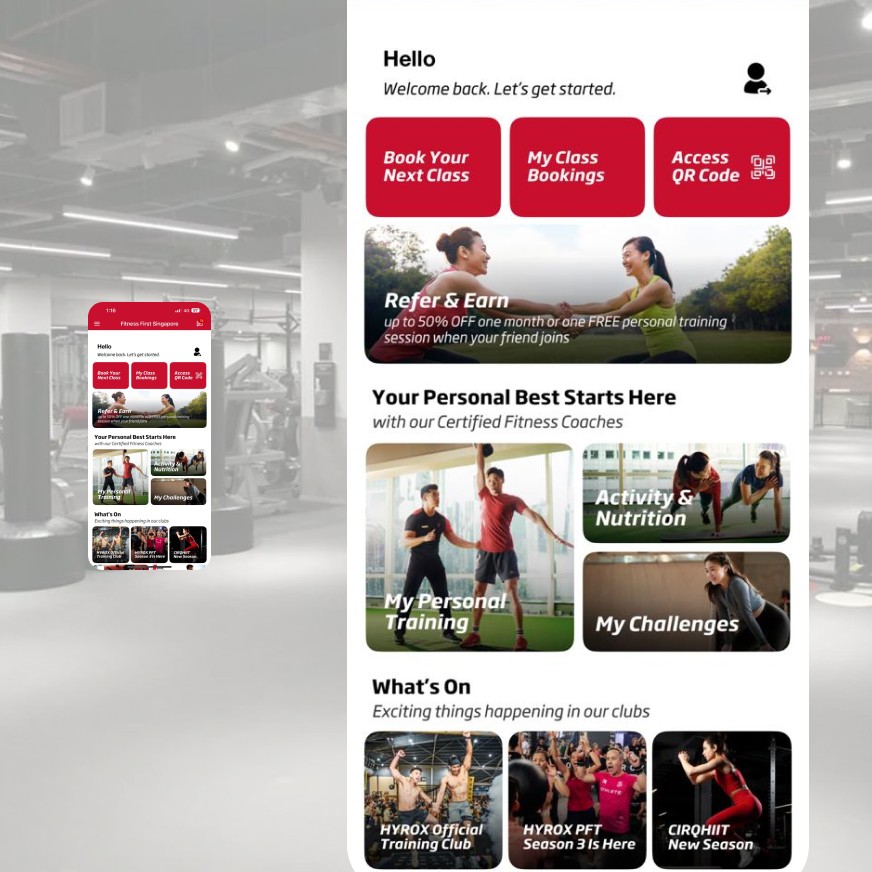
Quick Access to Key Features
Everything you need is one tap away
- Check-in to clubs in seconds.
- Book group fitness workouts across clubs.
- Manage bookings at a glance.
- Update your details and manage your membership on the go.
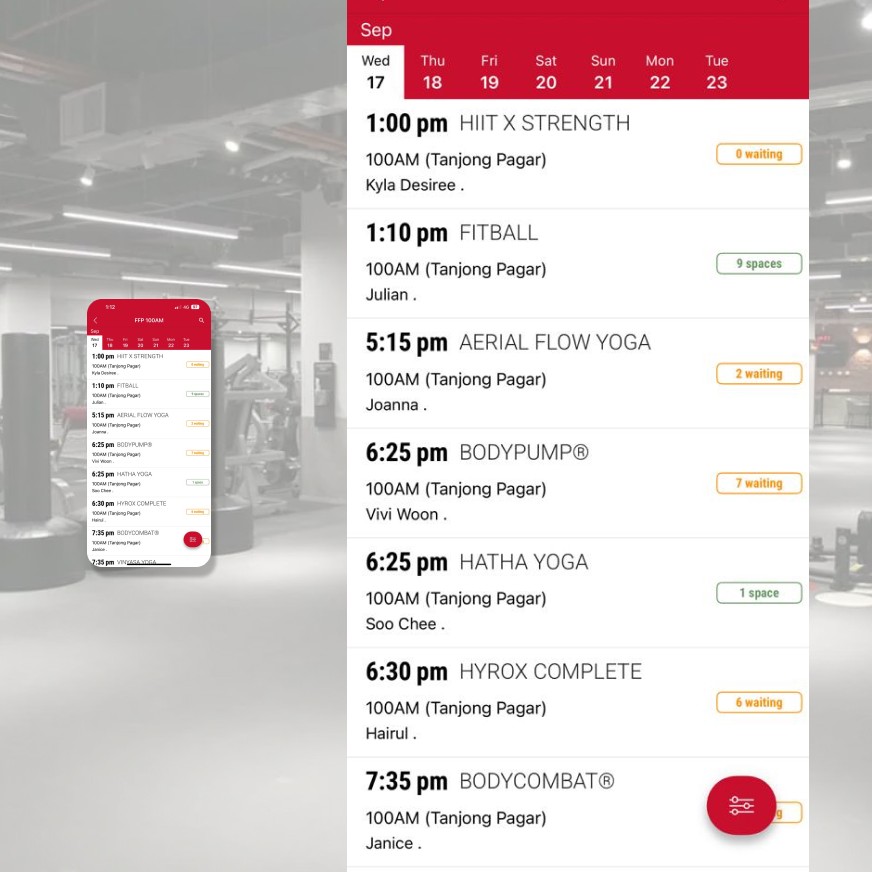
Book Group Fitness workouts In Seconds
Search by club, time, or workout format. Reserve your spot instantly - cancel in a tap.
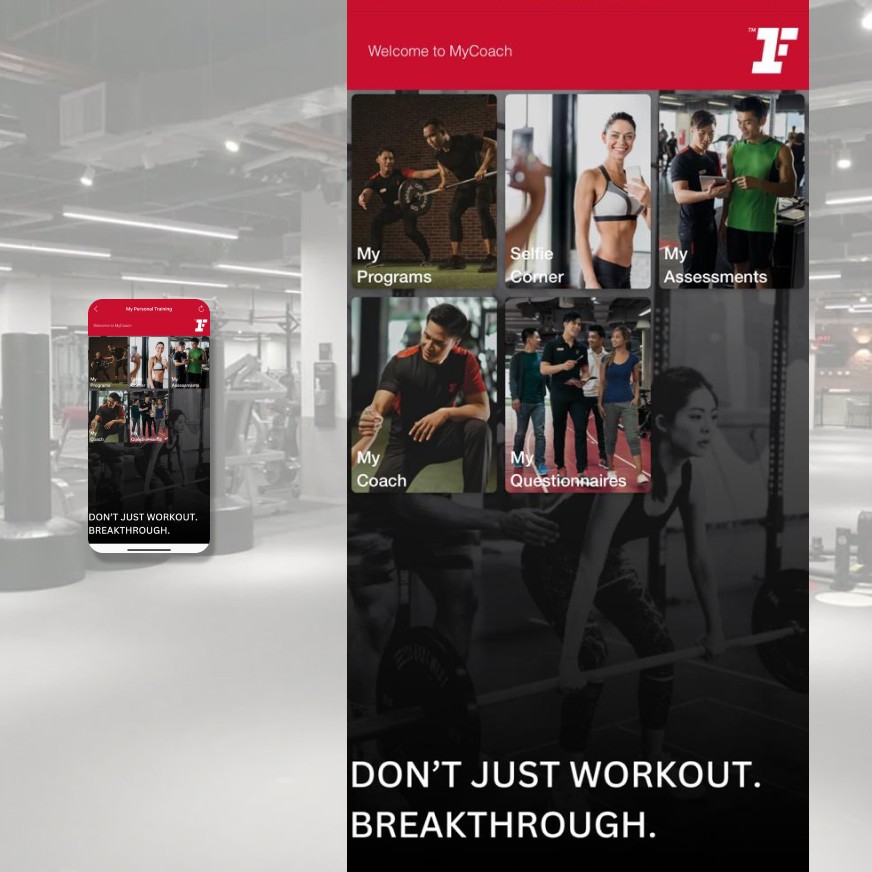
Track Your Progress
See your workouts, personal bests, and streaks in one view. Real progress, made visible.
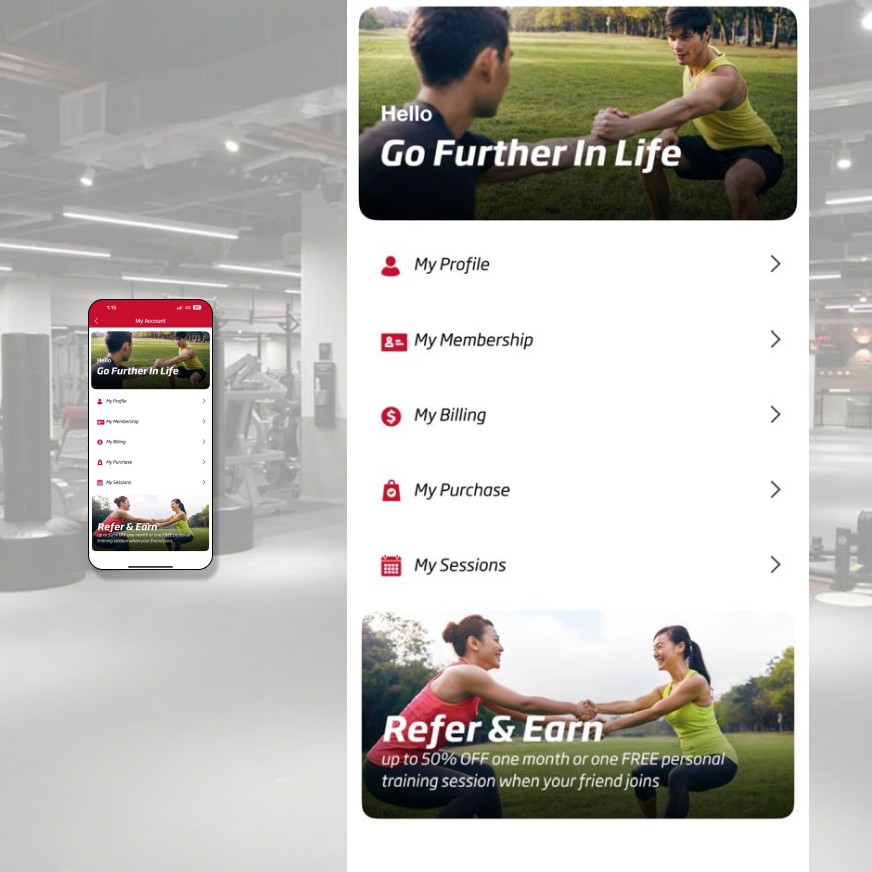
Manage Your Account
Update your profile, view membership details, and manage billing — straight from your phone.
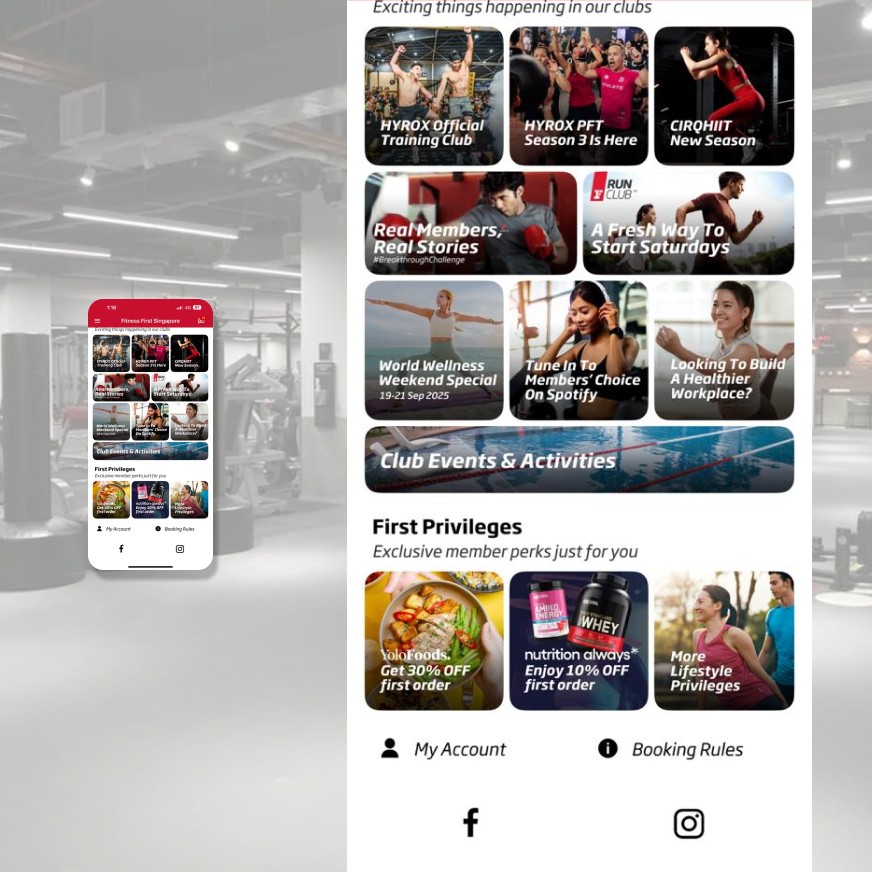
Stay Updated with Latest Club Events
New programs, community challenges, and club happenings — all in your feed.
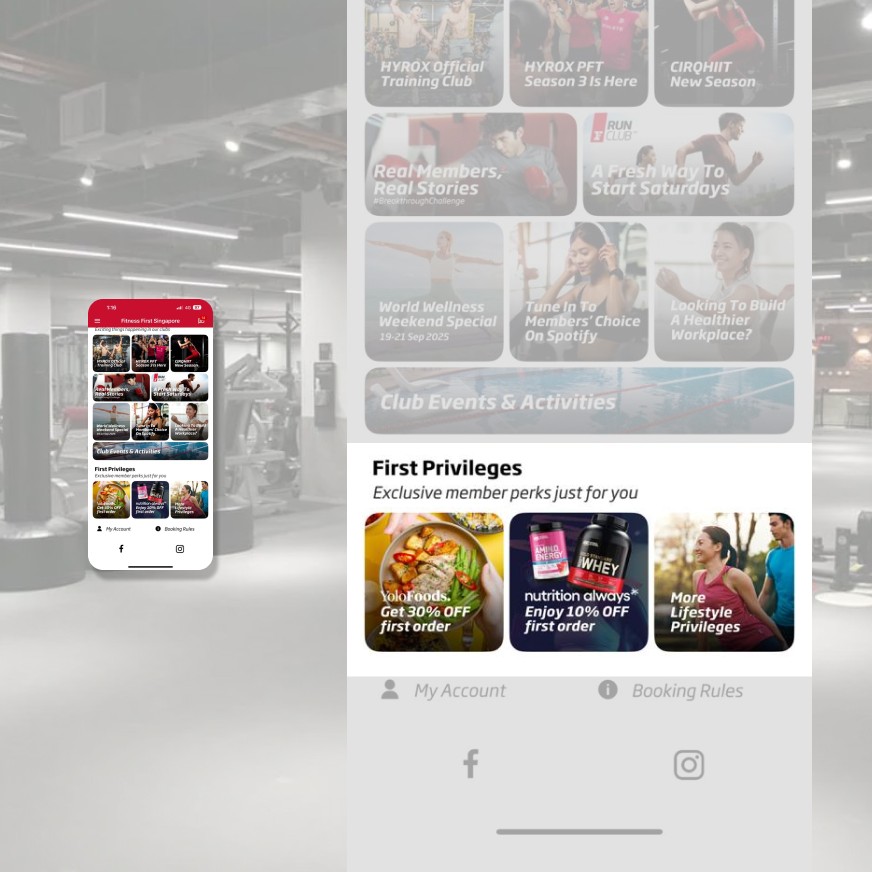
Member Perks, On Demand
Access exclusive member rates and deals from our partners straight from our app.
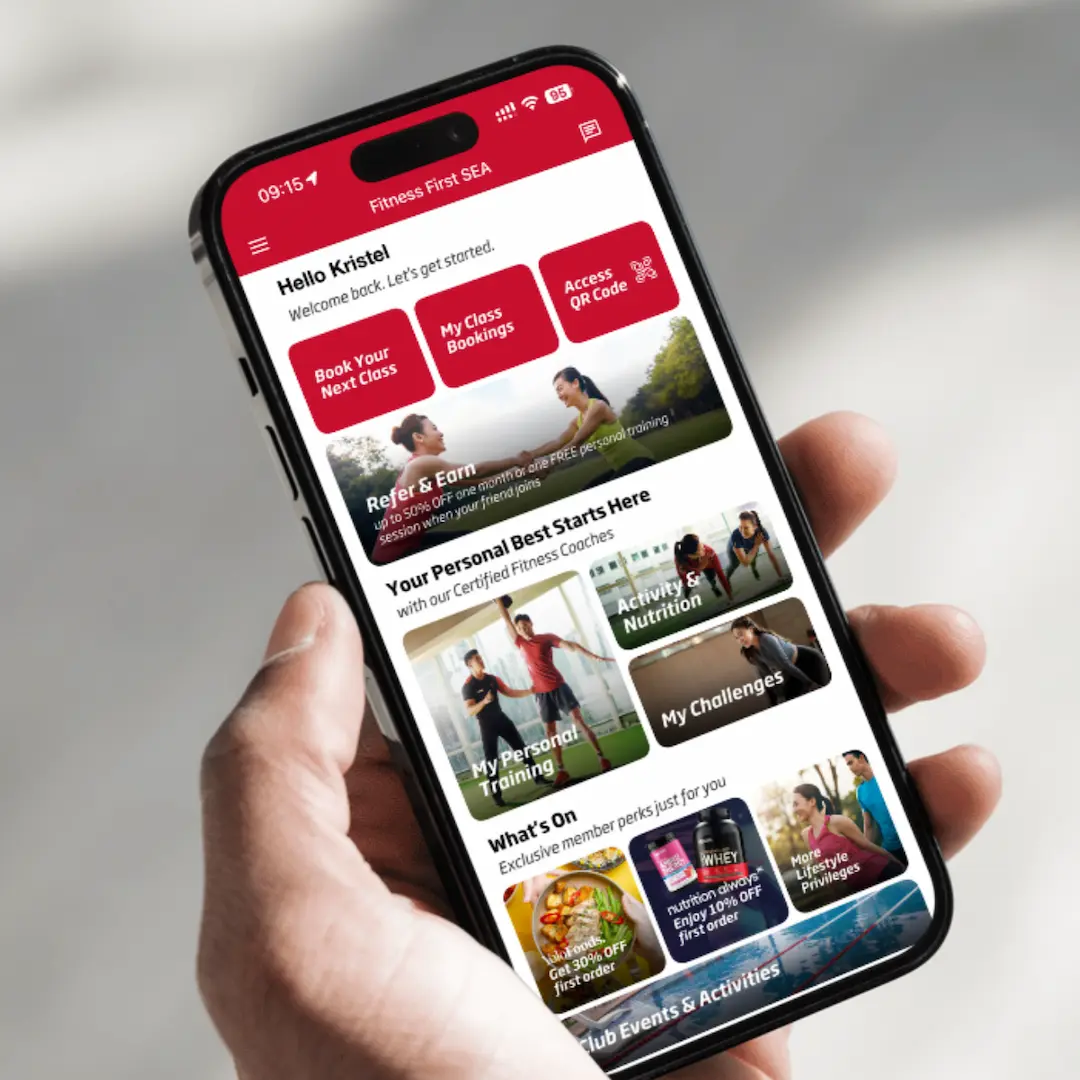
Download The Fitness First SEA App Now
A convenient, hassle-free experience, all in one app.


Get the full experience
Start with a FREE Trial
Frequently Asked Questions
Why is Fitness First launching a new app?
We have upgraded from Fitness First Asia app to Fitness First SEA app to provide a more streamlined mobile experience. Fitness First SEA will be the only official Fitness First app moving forward.
What happens to the current Fitness First Asia app?
The Fitness First Asia app has been discontinued and will no longer be functional. You will need to download the Fitness First SEA app to continue booking group fitness workouts and managing your bookings, account, and membership. All data associated with the Fitness First Asia app such as booking history, check-in activity history etc. will be removed. We apologise for any inconvenience caused.
When and how will the transition happen?
The Fitness First Asia app have been officially retired. You will no longer be able to use it, and all members must switch to the new Fitness First SEA app.
Do I have to download the new app?
Yes, the Fitness First SEA app is necessary for all members to book group fitness workouts, check schedules, and access other gym services such as view personal training bookings, accessing personal training programs etc.
Where can I download the new app?
You can download the Fitness First SEA here:
• iOS
• Android
*Note: The Fitness First SEA app is currently not available on the Huawei app store.
Will my login details remain the same?
No. You will need to create a new account by resetting your password using your email registered with Fitness First Indonesia from the new Fitness First SEA app after downloading it.
Can I use the password that I previously used to reset my password for the new app?
Yes. Please ensure that you use your registered email address with Fitness First Indonesia to reset and set your password for the new app.
What is the Fitness First SEA app?
The new mobile app will replace Fitness First Asia app and will allow members to search and book group fitness workouts, view timetables in real time. Members can also track and manage their group fitness workout and personal training booking, access membership details, update profile anytime, anywhere. Finally, receive first dips on latest deals and exclusive member benefits and privileges right from the app homepage!
Do I need to pay for the new Fitness First SEA app?
No, the app is free for members to use.
What should I do if I need help with the new app?
If you have any issues or need assistance, please reach out to our Member Experience team at +622130-215-222 or email Callcenter.Admin@evolutionwellness.co.id or approach our front desk staff at any of our clubs.
What devices can I use the app on?
You will need a mobile device operating system that is iOS 15.0 and above or Android version 7.1 and above.
Note: We recommend that you regularly update your device operating system and app for optimum experience.
Is the app available in all stores?
The Fitness First SEA app is available in Google Play Store and Apple App Store. It is currently not available on Huawei App Store.
Do I need an internet connection to use the app?
Yes. The app requires internet connection when in use. User will not be able to see updated timetables/functions without internet connection. You may need to login again once you get your connection back online. The app does not support offline mode.
I tried to reset my password but did not receive the password reset email. What do I do next?
Check if you are using the same email address as the one you used when you registered for your membership. The app recognises the members by their individual email addresses.
I have already reset my password. How do I login?
Simply navigate to My Account on the app homepage and tap on My Profile and you will be prompted to login to your account.
Are all group fitness workouts available for booking via the app?
Yes. All group fitness workouts are available exclusively for members to book only.
How do I start booking through the app?
Book your group fitness workout with 3 easy steps
1. Download the Fitness First SEA app and login to your member account
2. Tap on Book My Next Class from the app homepage
3. View workouts in all clubs or specific club, select the workout and tap book.
Is the app available for booking daily?
Yes, the app is available for online booking 24/7 daily.
How far in advance can I book a spot in a group fitness workout?
Group fitness workouts are open for booking from 9am, 6 days in advance to the workout you wish to book.
What if the group fitness workout I wish to book for is full?
You can add yourself to the waitlist. Should other members cancel their booking, you will be notified via the app that the workout is added to your booking automatically.
Where can I view my group fitness workout bookings?
Tap on My Class Bookings on the app homepage to view upcoming sessions and past bookings.
How soon should I arrive before the scheduled workout starts?
Group fitness workout check-in opens at reception 3 hours prior to session. Please ensure you have sufficient time to get ready for workout.
How do I cancel my bookings?
Tap on My Class Bookings on the app homepage, select the booking you wish to cancel and tap cancel.
If I’ve already booked my spot in a session through the app, do I still need to register/verify my attendance at the club?
Yes. You will be checked in at the Front of House and the group fitness instructor will verify your attendance before the session. If there are any issues, please approach the group fitness instructor after the session.
What do you mean by penalty?
A penalty strike refers to a “booking suspension” via the app. This means you will be unable to book a slot for 7 days via the app. You can still proceed to the club and check with our Front of House team if there is availability for an immediate spot. If there is space, they will manually help to check you in during this time.
What will constitute a “booking suspension penalty” via the app?
A “booking suspension penalty” will only be imposed on members who no-show or cancel bookings up to 4 times within a 30-day cycle under these conditions:
- You do not show up at all for the booked slot. Note: if you can make it to the front of house within 75 minutes after your class starts, you can still check in at our Front of House and you will not get a penalty strike.
- You are a booked member and have cancelled the slot less than 2 hours before the session start time. This is imposed to allow time for a waitlisted member to get a slot in the session.
- You are a waitlisted member who has a confirmed slot and cancel the slot under 30 minutes before the session start time.
There will be no monetary penalty imposed, and you can still proceed to the club and check if there is availability for an immediate spot. The team can manually check you in during this time. After 7 days, your booking rights will resume.
What data does the app collect, and how will it be used?
Protecting your privacy is important to us. Please review our Privacy Policy for a description of our privacy policies and an explanation of how we may use any personal data collected in the course of your use of the App.
We and/or our third party service providers may collect information about your location when you use or access the App. The location data we collect varies in degree and is dependent upon data from your device through settings you activate on your device; or other location sources such as IP address. You may disable the collection and use of your location data through your browser, operating system, or device-level settings.
Read more of our Privacy Policy.
Do I get any notification from the app?
Yes. Please enable the "Notification" setting in your phone to allow notifications to come through.
Change policy
Fitness First and Celebrity Fitness reserve the right to alter any of the clauses contained herein in compliance with local legislation, to meet its global policy requirements, and for any other purpose deemed necessary by the Company.